
How do I send feedback or report a bug?
The feedback form captures bug reports, feature requests, and general notes.
Feedback is how Onaji improves. The form is accessible from every page of the product.
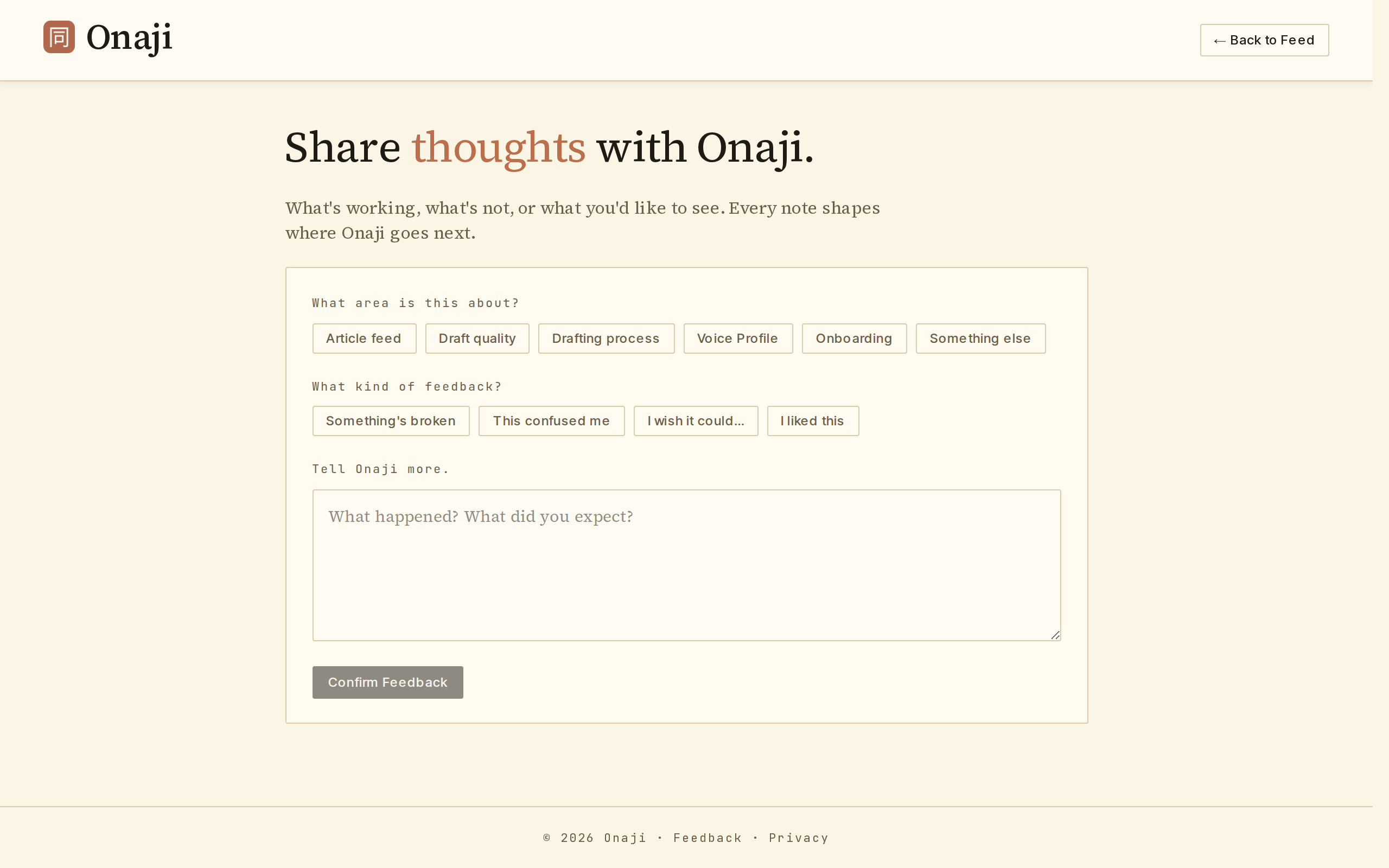
- Open the feed menu (top-right) and click "Feedback."
- Select the area being addressed — Article feed, Draft quality, Drafting process, Voice Profile, Onboarding, or Something else.
- Select the feedback type — Something's broken, This confused me, I wish it could…, or I liked this.
- Write the message.
- Click "Confirm Feedback" to submit.