
How do I add writing samples?
Three methods: paste text, upload files, or answer free-response voice prompts.
Writing samples are what Onaji learns a voice from. The more samples a writer provides, the sharper the Voice Profile. Samples can be added during onboarding or any time from Settings.
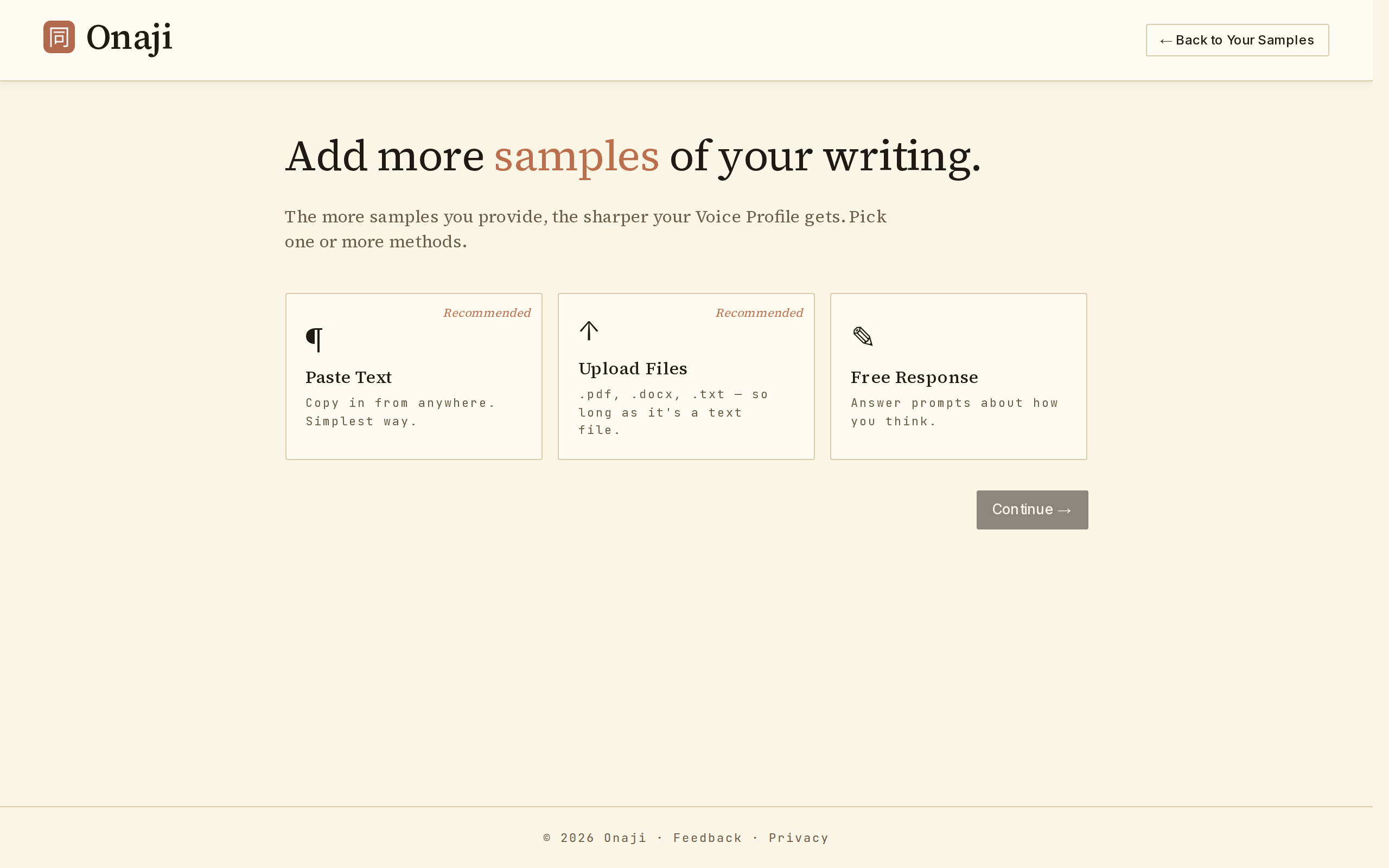
- Open the Voice Profile page and click "Manage Your Samples," then click "+ Add Samples" (or go directly to /settings/samples/add).
- Choose one of the three methods below.
- Repeat as often as needed. Mix methods freely.
- Once samples are added, return to the Voice Profile page and click "Re-analyze my voice" to fold the new material in.
- Paste text
- Drop in one or more writing samples directly. Each goes in its own text box. Best for LinkedIn posts, essays, or short pieces already on the clipboard.
- Upload files
- Choose files (.pdf, .doc, .docx, .txt, .md) from the local disk. Onaji extracts text automatically. Best for longer documents, articles, or book chapters.
- Free response
- Answer three voice prompts (e.g., "What's a professional moment you're proud of?"). Prompt responses inform personality, not prose style — so pair them with pasted or uploaded samples.